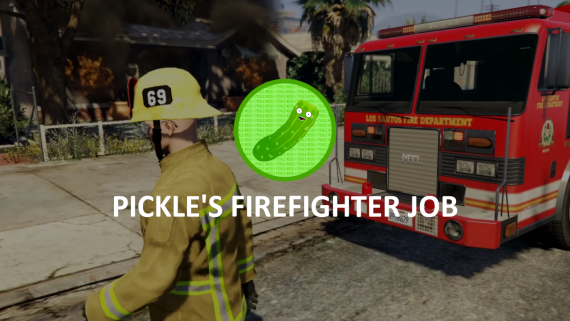
Advanced Firefighter Job – This is a great system that enables even more roleplay possibilities, and allows your fire department to be able to respond to fires, and extinguish them together!
Features
Supports both third-eye and keypress interaction.
Multiple Department Support
Unique and Reliable Fire System
Extinguish Fires with a team, and split rewards based on damage done to the fire.
XP Support.
Create your own Fire Types through the config!
Portable Hose System, Use & Refill with the “watertank” item.
Firefighter Tools, Including Vehicle Sawing, Dragging Players out of Vehicles, and Carrying Players!
Department Store, Vehicles, Duty, and Boss Menu (Uses esx_society / qb-management)
Players can start fires by starting explosions / fires with weapons / gas tanks (due to FiveM limitations, this does not include things like car explosions).
Random Fire Scenarios (More are addable in the config!)
Exports for Fire Targeting (Useful if you’d like to use other hose systems)
Fire Extinguisher & Firetruck Extinguishing Support
Dispatch Supportable (Using Config.Alerts to send the event)
Supports Exports to use in other scripts.
And more!
Requirements
ESX (1.1+) / QBCore, or code your own bridge to work with your framework. (the bridge is fully accessible!)
Your download link arrives by email as soon as checkout finishes. You can also log in to My Account with the email you ordered with and open Downloads. That is also where you find anything you bought before.
Can I get a refund?
Sales are final once a product has been downloaded. If you picked the wrong item and haven't downloaded it yet, contact support and we will swap it for the right one at no charge.
Can I share or resell a script?
No. Your license covers personal use with the account that made the purchase. Reselling, sharing or uploading the files to public sites ends every license on that account.
Do products get updates and support?
Yes. Every product comes with ongoing support and updates. Support for very old versions, or setups running outdated dependencies, can end over time.



![[QB/ESX] Farm Job Advanced Farm Script | Feed Your Chickens and Cows!](https://tebax.io/wp-content/uploads/2023/06/0e89f14c25c390fd451e43ef9ad3c09272d884c2-300x169.png)
![[QB/ESX] Farm Job Advanced Farm Script | Feed Your Chickens and Cows!](https://tebax.io/wp-content/uploads/2023/06/87521d9f251ac2be4f9f679203f1b02fa2948b58-300x169.png)
![[ESX/QB] Bodycam \w LIVE RECORDING and Playback](https://tebax.io/wp-content/uploads/2023/04/b778ea5aa5ae811dd5a743a683b398c4f7ac0180-300x169.png)



Reviews
There are no reviews yet.