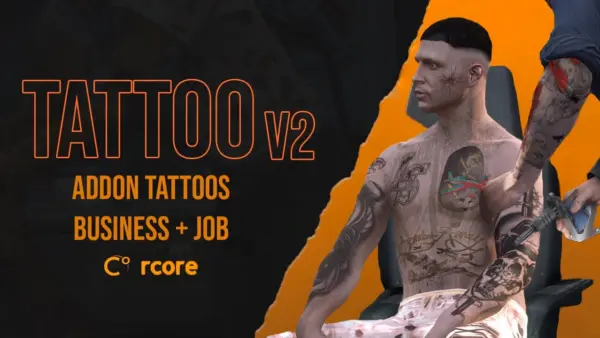
Tattoos Shop with Hair Degrade
$16
- Instant download after checkout
- Download link by email and in My Account
- 24/7 support for installation and setup
- Ongoing updates
- Secure checkout
Tattoos Shop with Hair Degrade comes in two versions, ESX and Standalone, and gives players a graphical tattoo shop. The selection covers nearly every tattoo in the game, though some may have been missed. The gradient Hair Degrade option uses the tattoo system. It comes as an optional extra.
Install the shop
- Disable any tattoo script already on your server so this shop can work correctly.
- Place the shop script in the
resourcesfolder. - Add
start mx_tattoostoserver.cfg, then start your server.
Set up invisible clothes so players can see their tattoos. Open configurate.lua and find list_cloth. Set male_id to the ID for invisible male clothes and female_id to the ID for invisible female clothes.
Build 2189 and tattoo files
Some tattoos require FiveM Build 2189 unless you transmit them as an Addon. These include mpheist4, mpheist3 and mpvinewood. They start out disabled. The download omits their tattoo files, so those tattoos will not work as supplied on the standard FiveM build.
To use every tattoo already defined in configurate.lua, enforce the required build with sv_enforceGameBuild 2189 or transmit the DLC. To add tattoo ADDONS, use both tattoos_vectors.lua and configurate.lua. Adding these ADDONS falls outside the support provided for the script.
Prices, clothing and interface settings
The shop is easy to configure and translate. The following settings are in configurate.lua.
- Tattoo selection and cost. Change tattoo prices or remove categories. Turn on FREE tattoos to let players get them at no charge.
- Clothing. If your server already has a command for removing clothes, you can switch the shop’s automatic removal on or off.
- Graphical interface. Adjust the scale or position and translate any of the interface text. You can also edit the notification players get on entering the shop blip.
Browsing, buying and removing tattoos
At the store blip, press E to open the shop. With automatic clothing removal enabled, entering the menu removes the player’s clothes and exiting puts them back on. Players can use the free camera to choose their view of a tattoo.
Navigate with the Up, Down, Left and Right arrow keys. In each category, the menu displays the tattoo’s price and the number of tattoos the player owns in that category. If a player browses to a tattoo they already own, the menu tells them.
ENTERconfirms a tattoo purchase.DELETEremoves a tattoo.ESCcloses the shop and confirms the purchase. Walking out of the blip does both as well.
Version changes
Update 2.0 (Build 2.0). Both ESX and Standalone gained 62 missing tattoos from the Christmas2017 and Christmas2018 DLCs. This build also updated fx_version in fxmanist.lua for both versions and allows users of either version to rename the resource folder.
Two fixes affect the Html (VueJS) interface. One corrects an index error players encountered while browsing the tattoos. The other corrects a font issue that caused some customers to see a default font family.
UPDATE 1.0. The ESX version switched from Spawnplayer to the framework’s own event. If you changed the script during support, you must reapply those changes when using the new version. This applies especially to changes involving the ESX event esx: getSharedObject.
For Standalone and ESX, this update increased the wait for database information when a player spawns. It introduced the editable notification for entering the shop blip and fixed a purchase bug that had allowed players without money to buy a tattoo.
Category: ESX Scripts
Common questions
How do I get my files after I pay?
Your download link arrives by email as soon as checkout finishes. You can also log in to My Account with the email you ordered with and open Downloads. That is also where you find anything you bought before.
Can I get a refund?
Sales are final once a product has been downloaded. If you picked the wrong item and haven't downloaded it yet, contact support and we will swap it for the right one at no charge.
Can I share or resell a script?
No. Your license covers personal use with the account that made the purchase. Reselling, sharing or uploading the files to public sites ends every license on that account.
Do products get updates and support?
Yes. Every product comes with ongoing support and updates. Support for very old versions, or setups running outdated dependencies, can end over time.
You might also like
-
-
$20
-
-
$10
-
$10