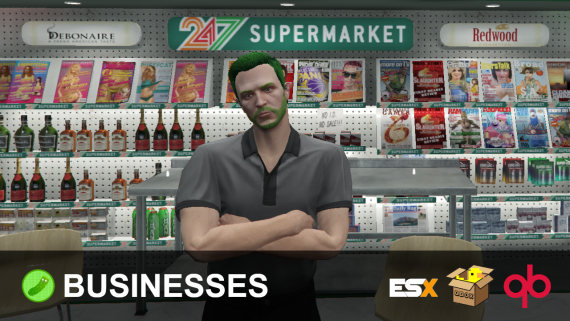
This is a resource that allows you to easily create businesses in-game for your players to own, manage, and utilize through out your server.
The main difference between this product, and competing products, is that mine offers a fully-integrated player economy.
Your businesses will now be able to be more than a simple spot to purchase something, let’s go over the features to see why this resource is the best fit for your server’s business solution.
Features
Player ownable & rentable businesses created fully in-game.
Persistent locations for both stores & placed down markets.
Placeable Markets; which allow you to have a vending business rather than setting up a traditional business at a hard location.
Metadata item selling, meaning you can sell unique and used items! (this also prevents the infamous “repair glitch” with other business resources)
Trade listings, which can be listed uniquely per business by the owner / permissable roles set by the owner.
Custom business employee & role framework, create your own ranks and permissions via the business!
Zone types; which determine what’s craftable and purchasable via the supply stores made available for zones in the config.
Supplies Store which contain different items per business “zone type”, restrictable to certain zone types.
Furniture is placeable by admins and owners per business!
Storage for storing items and parts safely.
Crafting; which has different item opportunities based on the business zone!
Sales Data; see your daily & recent sales through your management menu.
Currencies; supports taking dirty money for transactions based on the business zone’s settings!
And more!
Requirements
ESX (1.1+) / QBox / QB, or code your own bridge to work with your framework. (the bridge is fully accessible!)
Your download link arrives by email as soon as checkout finishes. You can also log in to My Account with the email you ordered with and open Downloads. That is also where you find anything you bought before.
Can I get a refund?
Sales are final once a product has been downloaded. If you picked the wrong item and haven't downloaded it yet, contact support and we will swap it for the right one at no charge.
Can I share or resell a script?
No. Your license covers personal use with the account that made the purchase. Reselling, sharing or uploading the files to public sites ends every license on that account.
Do products get updates and support?
Yes. Every product comes with ongoing support and updates. Support for very old versions, or setups running outdated dependencies, can end over time.






Reviews
There are no reviews yet.