Advanced Restaurants Creator | MT Restaurants
Original price was: $80.$25Current price is: $25.
- Instant download after checkout
- Download link by email and in My Account
- 24/7 support for installation and setup
- Ongoing updates
- Secure checkout
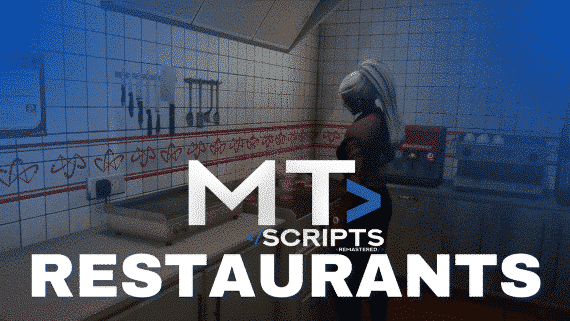
MT Restaurants lets you manage multiple restaurants with one resource. The config files let you add as many restaurants as you need and use any MLO or job. Each restaurant has its own choice of features. You can disable any of them for that restaurant in the config file.
Inventory and dependencies
The recommended inventory is ox_inventory. MT Restaurants was built for it, and it supports every feature. The only other supported option is the new version of qb-inventory, which supports some of the features.
- Framework. Use es_extended, qbx_core or qb-core.
- Library. The resource requires ox_lib.
- Targeting. Choose interact, qb-target or ox_target. You can edit this dependency.
- Banking. Choose qb-banking, qb-management or Renewed-Banking. This choice is editable.
- Management. Choose esx_society, qbx_management or qb-management. You can edit this choice too.
The resource includes secure exports, functions and callbacks.
Pre-configured restaurants
These MLOs come with restaurant configurations. The resource also includes configurations for other MLOs.
- Ajaxon Coffee Shop, BadBoss Kebab King and AS MLO Rex’s Diner
- FM Shop Bean Machine, FM Shop Malibu Club and FM Shop Comdy Club
- JR Shop Italian Central Bar, Kiiya The Lust Resort and Kiiya The Hawker Boys
- G&N’s Rockford Clucking Bell, G&N’s Mirror Park and G&N’s Black Wood Saloon
- G&N’s Vinewood Up-N-Atom and G&N’s Grapeseed Up-N-Atom
- G&N’s Vespucci Burgershot and G&N’s Sandy Shores Burgershot
Ingredients and recipe limits
You can create multiple ingredients and vary their hunger, thirst and buff values. A serving of 100 calories represents 10% hunger or thirst. Crafting lets players prepare ingredients. You can create multiple stations with different animations and station types.
Restaurant owners can make their own recipes in the in-game management menu. You can cap the ingredient count and price for each recipe, and limit how many recipes a restaurant can have. The management menu also lets you change the menu item’s image.
Counter service and deliveries
Restaurants include trays, stashes and registers that can charge customers. Restaurant zones can enable an offline shop that can sell items even when nobody is online. Employees can make deliveries, with a cooldown between them.
The drive thru includes a notification and a private channel for talking there without interference. Restaurants have garage and music systems and can have chairs. The resource can also spawn props and peds.
Categories: FiveM Jobs Scripts | Best Job Packs for FiveM Servers 2026, ESX Scripts, Qbox Scripts, QBCore Scripts, MT Scripts
Common questions
How do I get my files after I pay?
Your download link arrives by email as soon as checkout finishes. You can also log in to My Account with the email you ordered with and open Downloads. That is also where you find anything you bought before.
Can I get a refund?
Sales are final once a product has been downloaded. If you picked the wrong item and haven't downloaded it yet, contact support and we will swap it for the right one at no charge.
Can I share or resell a script?
No. Your license covers personal use with the account that made the purchase. Reselling, sharing or uploading the files to public sites ends every license on that account.
Do products get updates and support?
Yes. Every product comes with ongoing support and updates. Support for very old versions, or setups running outdated dependencies, can end over time.
You might also like
-
-
-
FREE!
-
$20
-