[QB/ESX] Bodycams + Dashcams for FiveM
Original price was: $40.$15Current price is: $15.
- Instant download after checkout
- Download link by email and in My Account
- 24/7 support for installation and setup
- Ongoing updates
- Secure checkout
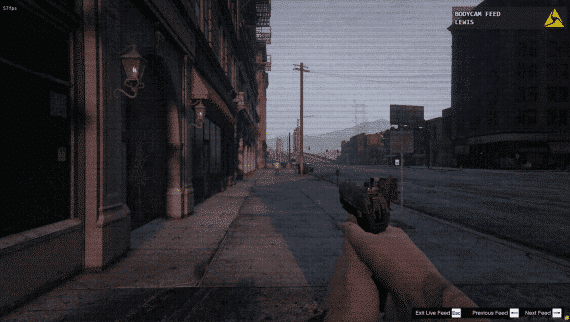
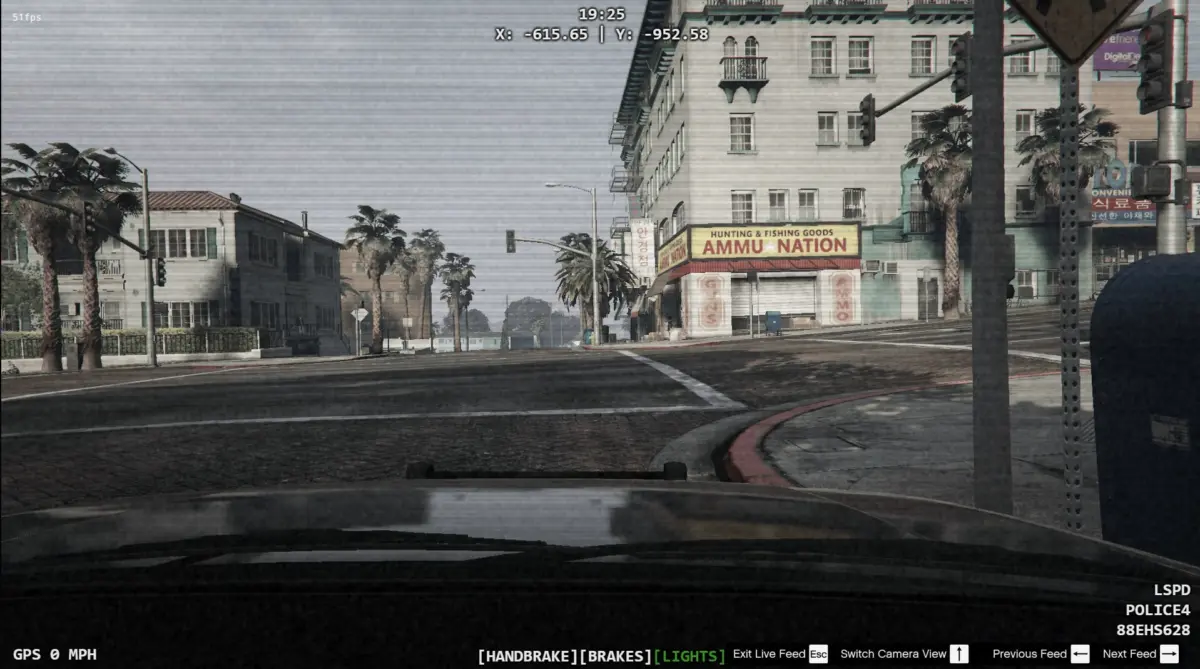
The [QB/ESX] Bodycams + Dashcams for FiveM package includes two standalone resources for watching live camera feeds. One shows the view from any player whose bodycam is active. The other lets viewers watch the dashcam of any player driving a specified vehicle anywhere on the map.
Viewing feeds from dispatch
Both resources use the Dispatch Centre in the Gabz MRPD Interior as their default viewing location. From inside MRPD, dispatch and other officers can watch live bodycams. They can also follow live dashcam feeds from MRPD while officers are out on patrol.
For dashcams, the configuration file controls both ends of the feed. You choose which vehicles have a camera and where players can go to watch the live footage from those vehicles.
Bodycam activation and duty events
The bodycam resource supports QBCore and can run standalone. Players can activate their cameras with /bodycam. You can change that command or disable it. The resource also includes two events for switching a player’s camera on or off.
You can use the events to turn a bodycam on automatically when a player clocks in and off when they clock out. The events can also limit bodycam use to police and EMS. See config.lua for details of the duty events. The reported bodycam timing is 0.01ms when unused and 0.15ms while someone watches a live feed.
Viewer access and editable files
Each resource has exports you can use to whitelist people for access to its live feed. The bodycam resource describes its exports in config.lua. The dashcam resource lists its own exports in config.lua as well.
For a non-English server, you can edit the wording of both prompts and controls in each resource’s configuration file. Both scripts come without encryption, and every file in the package is editable. The terms prohibit sharing or distributing either resource, both for free and for resale.
Categories: Qbox Scripts, QBCore Scripts
Common questions
How do I get my files after I pay?
Your download link arrives by email as soon as checkout finishes. You can also log in to My Account with the email you ordered with and open Downloads. That is also where you find anything you bought before.
Can I get a refund?
Sales are final once a product has been downloaded. If you picked the wrong item and haven't downloaded it yet, contact support and we will swap it for the right one at no charge.
Can I share or resell a script?
No. Your license covers personal use with the account that made the purchase. Reselling, sharing or uploading the files to public sites ends every license on that account.
Do products get updates and support?
Yes. Every product comes with ongoing support and updates. Support for very old versions, or setups running outdated dependencies, can end over time.
You might also like
-
-
-
$15
-
-
$15