$15
[QB/ESX] BEST RADIO SCRIPT | qb-radio, esx-radio
Original price was: $50.$25Current price is: $25.
- Instant download after checkout
- Download link by email and in My Account
- 24/7 support for installation and setup
- Ongoing updates
- Secure checkout
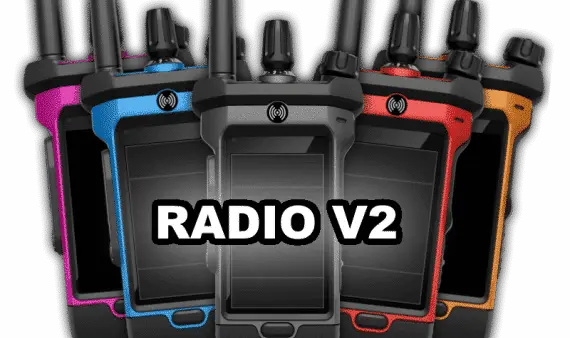
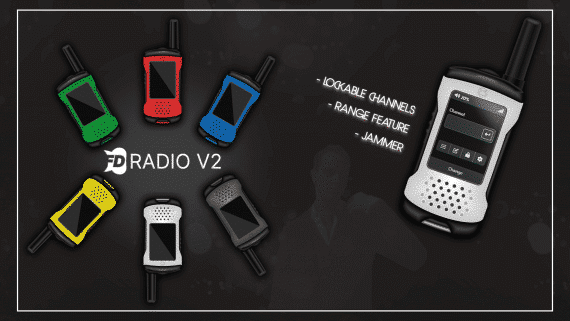
FD Radio V2 gives players a Walkie Talkie with a custom on-screen frame, a matching handheld prop and channels they can lock. Listed as qb-radio and esx-radio, it succeeds V1 Radio. Customer feedback shaped the changes. V2 has its own design and custom props made by its creators, with more features and more optimized code than V1.
Dependencies and framework support
- Install the main branch of pma-voice. It is currently the only voice system the radio supports.
- PolyZone is also required.
The radio can run standalone or with any version of ESX or QB. It supports Multicharacter, and all inventories should work. On ESX, QB-Core or Server Core, the radio automatically uses that system’s notifications in place of its own defaults.
Channel configuration
The codebase is dynamic and easy to read. The config is easy to use and comes with detailed documentation. You can give radio channels custom names in the config. Each server has a unique identifier to keep its settings from overlapping with another server’s.
A command lets players switch channels quickly. The quick join list has its own configurable command. Optional keybinds can open either the list or the radio. Exports let you switch radio channels or leave the radio.
Frame and radio controls
The scalable frame comes in 6 colors and 3 sizes. Players can move it around the screen, and the radio remembers both the chosen size and the position. Players can hold the custom Walkie Talkie prop in their hand. Its color matches their radio selection. Inventory icons cover all 6 colors.
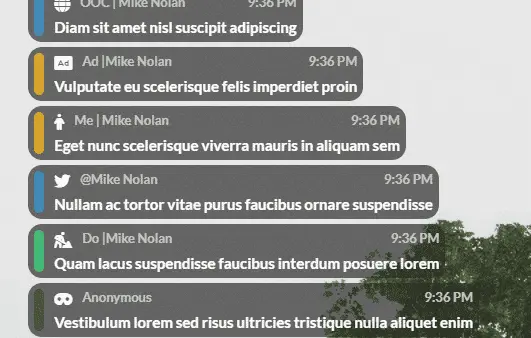
Buttons control power and volume. One screen lists who is on the radio. Users can change their own name or call sign. The radio also includes a lock screen and a settings screen.
Range, invitations and jammers
The specified ranges and the listener’s distance from the speaker determine how much fudge the listener hears. As that distance grows, speech can become unintelligible or even be muted. You can disable range for particular channels or jobs. Users can lock a channel so that joining requires an invitation.
Players can place a jammer to disable radio communication in an area. You can configure how it affects radio use within that zone. A placed jammer survives a server restart unless someone picks it up. Pickup options include ox_target, 3D Text, qb-target and qtarget.
Radio preview
Imgur has additional screenshots of the UI and other radio features.
NOTE: This resource is open source.
Categories: ESX Scripts, Qbox Scripts, QBCore Scripts
Common questions
How do I get my files after I pay?
Your download link arrives by email as soon as checkout finishes. You can also log in to My Account with the email you ordered with and open Downloads. That is also where you find anything you bought before.
Can I get a refund?
Sales are final once a product has been downloaded. If you picked the wrong item and haven't downloaded it yet, contact support and we will swap it for the right one at no charge.
Can I share or resell a script?
No. Your license covers personal use with the account that made the purchase. Reselling, sharing or uploading the files to public sites ends every license on that account.
Do products get updates and support?
Yes. Every product comes with ongoing support and updates. Support for very old versions, or setups running outdated dependencies, can end over time.
You might also like
-
-
-50%
Original price was: $30.$15Current price is: $15.
-
-
-