FREE Ai Police Response
FREE!
- Instant download after checkout
- Download link by email and in My Account
- 24/7 support for installation and setup
- Ongoing updates
- Secure checkout
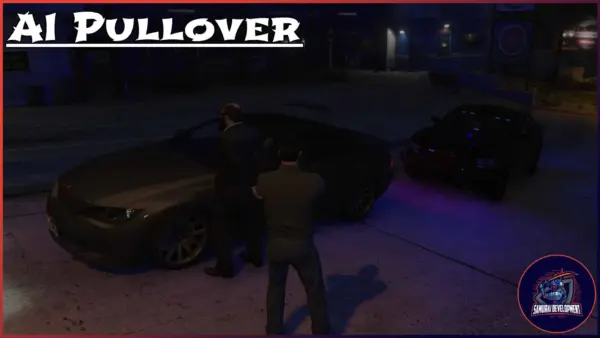
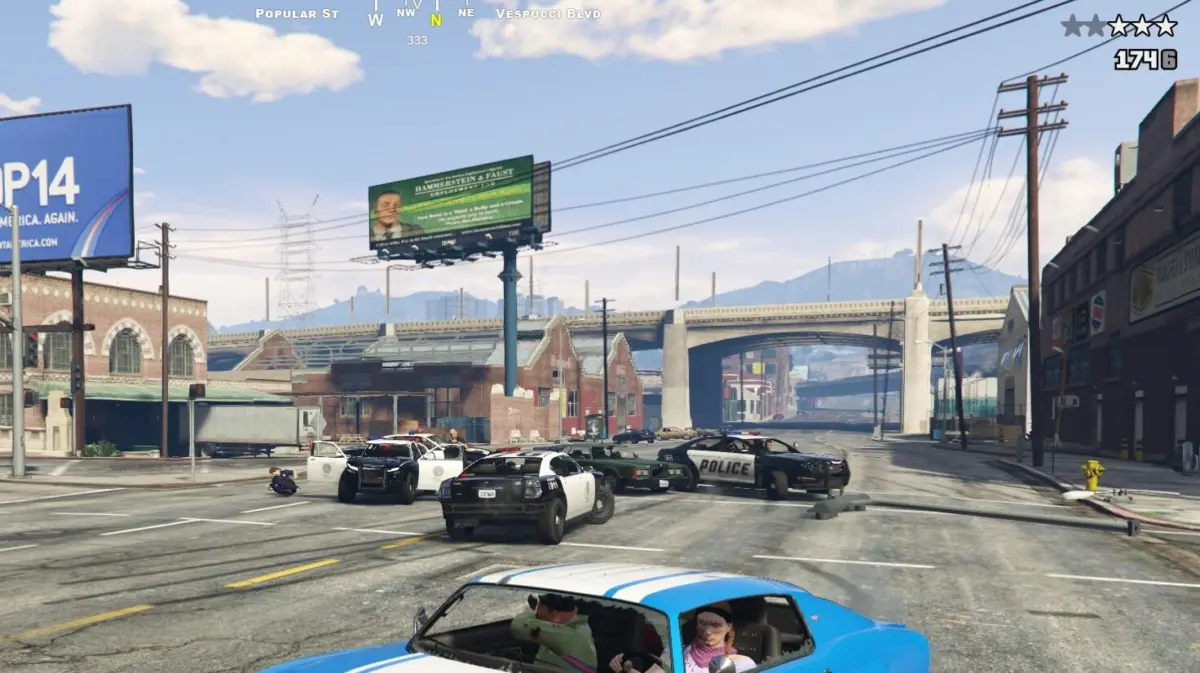
Ai Police Response is a free mod that enables wanted levels and replaces GTA V’s police dispatch with AI dispatch. The replacement gives players a more realistic, less punishing police response. You can adjust the difficulty in either direction, including above or below the base game. The mod is highly configurable, with detailed comments throughout the configuration and code to help you make changes.
QBCore and player police
The mod requires QBCore. It uses the framework to send notifications, count online players who hold Police jobs and check for vehicles nearby. The native vehicle check caused problems. QBCore also checks isDying or inLastStand so the mod can cancel wanted levels. In theory, removing notifications and last stand logic and using the native vehicle check could remove the QBCore dependency.
The original setting was a small RP server for friends with too few players to field many police officers. You can limit AI response to times when player police are offline. Set the required officer count and choose if officers must be onDuty to count. You can also exempt players with police jobs from becoming wanted, with the option to limit that exemption to officers on duty.
Regional units and loadouts
You can customize the units for each zone. The default zones are jurisdictions, also called regions. They cover Paleto Bay, Countryside, Los Santos and Sandy Shores. Each unit has a minimum wanted level. Once it qualifies, its spawnChance weight affects how likely it is to appear. The default weights for riot and fbi vehicles are much higher, so they respond far more often once eligible. Regular units remain eligible too.
You can change the ped models for each unit and give it custom loadouts. When a unit spawns, its loadout is picked at random. Each loadout’s spawnChance controls its odds of selection.
Wanted levels and aircraft
For each wanted level, set the evasion time and how many units spawn. Ground units, helicopters and planes have separate spawn counts. Planes are also called air units. You can set a separate spawn distance for each of the three groups.
Police helicopters respond at higher wanted levels. The default threshold is 4 stars rather than 3, and you can change it. If the player is aboard a plane or helicopter, military planes and military helicopters can spawn.
Response per player
Each wanted player draws their own units. Two wanted players sharing a car draw twice the response. With four wanted occupants in one vehicle, four times as many units respond. The author may reconsider this difficulty scaling in future.
The server spawns the police and passes their networkIDs to the requesting client. That client controls and maintains its units. They should stay with that client, and the high distance culling setting lets it retain control even from far away. Units stay in sync across clients, so players can see another player’s police chase.
Unit timers and stolen vehicles
Dead units are removed after a delay to make room for new ones. When the timer for distant units expires, the mod removes them so more units can spawn. For each type of removal, you can set different delays for ground units, helicopters and air units.
Vehicle cleanup can run when peds die, when peds are far away or when a player loses their wanted stars. If a player occupies a stolen police vehicle at cleanup, it stays, even if they took it during the chase. A vehicle kept this way never despawns. A planned change would remove it after the player abandons it for a certain time or moves a certain distance away.
Export calls
exports['fenix-police']:ApplyWantedLevel(wantedLevelHere) -- wanted level can be 1 to 5, this ADDS the wantedLevelHere value to the existing wanted level!
exports['fenix-police']:SetWantedLevel(wantedLevelHere) -- wanted level can be 1 to 5, this SETS the players wanted level to the wantedLevelHere value if it is higher than the current wanted level.
Categories: Tebex FREE Scripts, QBCore Scripts
Common questions
How do I get my files after I pay?
Your download link arrives by email as soon as checkout finishes. You can also log in to My Account with the email you ordered with and open Downloads. That is also where you find anything you bought before.
Can I get a refund?
Sales are final once a product has been downloaded. If you picked the wrong item and haven't downloaded it yet, contact support and we will swap it for the right one at no charge.
Can I share or resell a script?
No. Your license covers personal use with the account that made the purchase. Reselling, sharing or uploading the files to public sites ends every license on that account.
Do products get updates and support?
Yes. Every product comes with ongoing support and updates. Support for very old versions, or setups running outdated dependencies, can end over time.
You might also like
-
-
FREE!
-
FREE!
-
FREE!
-
FREE!